
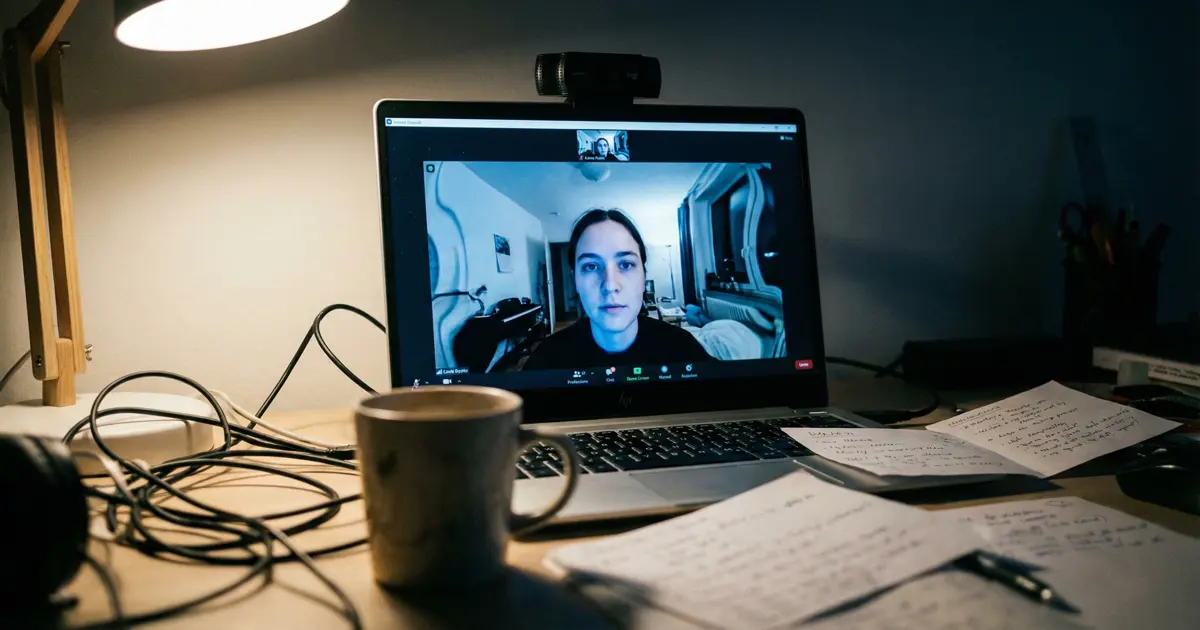
Somewhere in a meeting room, a group of very pleased-with-themselves tech people decided that what video calls really needed was a camera that stalks your face around the frame like a budget Spielberg shot.
Auto-framing, eye-tracking, magical “keep you in the centre” nonsense. Clever demo. Terrible experience.
The sort of distracting and annoying thing that drives neurodivergent brains bonkers!
How This Actually Works (And Why It’s Annoying)
If you’ve not seen it yet, this is how it works: the camera tracks your face (pretty much keeping your eyes a third of the way from the top and in the middle), then digitally moves and crops the image so your head stays in the middle, even if you shift left or right.
On paper, it sounds “smart”. In reality, it means the background is constantly drifting about like the room’s on a wonky trolley. You move an inch, the frame lurches an inch. Over and over again. So unnecessary and unnatural.
Try watching someone like that for half an hour. In a normal conversation, people move – heads tilt, shoulders shift, you lean in, you lean back. The person moves inside a stable world. With this eye-tracking webcam rubbish, the person becomes pinned to the middle while the entire room glides around them.
It’s visually wrong (and bloody weird) in a way your brain can’t quite ignore. Some people even describe feeling queasy or motion sick when the auto-framing keeps nudging the shot for no good reason.
Solving for the Demo, Not the User
And that’s the bit that really winds me up. This isn’t an upgrade to the experience. It’s an upgrade to the product demo. It looks brilliant in a 15-second launch clip, where some smiling person wanders around a kitchen island and the camera “magically” follows them.
Just like all hyped features; It sells. It sells because most people don’t think about the distracted person on the other end of the Zoom call or Face-time catch-up.
But most of us aren’t pacing about like TED speakers during a Zoom call or a celebrity cook wiggling her bum around a kitchen. We’re sat at a desk, moving a bit like humans do, and would much rather the camera calmed the heck down and stayed put.
You know what looks natural? A head that moves slightly within a steady frame. You nod, you turn, you glance at notes – your background stays where it is, like in real life.
You know what looks weird? Every tiny shift you make triggering a micro-pan and reframe, as if the camera’s developed a nervous twitch. After a while, you stop listening to the person and start noticing the fidgeting frame instead. Completely backwards.
The Hype Brigade vs Reality
And then there’s the hype brigade. There’s always a hype brigade. The crowd who’ll tell you this is “amazing for creators” or “brilliant for staying in shot while you present at the whiteboard”.
Fine.
If you’re genuinely wandering about a lot, or doing a cooking show in your kitchen, or recording some standing piece to camera where movement is part of the thing, auto-framing can make sense.
Yes, it has a purpose.
There are reviewers and users who quite like Centre Stage for that, especially when they’re trying to include kids or groups and don’t want to keep manually adjusting the tripod.
But that’s a niche use case being rammed into everything. A lot of people who’ve actually lived with these features end up turning them off. They complain about delayed reaction, odd zoom levels, the camera “hunting” for faces, or randomly deciding to recrop mid-sentence.
Others say the constant motion makes them uncomfortable or even ill.
Some iPad users have gone so far as to say Centre Stage actively ruins calls for them and that they “detest it” for how it makes the image sway around. Not exactly a ringing endorsement.
Eye Contact Features Are Even Worse
Eye-tracking tricks don’t stop at framing either. You’ve got Nvidia’s Eye Contact feature that tries to force permanent eye contact by digitally warping your gaze, so it looks like you’re always staring straight down the lens.
A whole new level of weirdness. Let’s chat with robotic eyes!
Again, perfect for a demo. In practice, it looks creepy, robotic, and off. Haven’t we got enough robotic looking shit out there already thanks to AI generated images and video?
Reviewers have called it “terrifying”, “weird”, and “hilarious” for all the wrong reasons, because your eyes behave like they’re glued in place while the rest of your face moves like a human. It’s the same disease – tech solving for “cool” rather than “comfortable”.
Building for Spectacle, Not Sanity
This is the pattern now. Features are built for that tiny wow-moment clip, not for the reality of a long, slightly boring, slightly messy human conversation. No one’s asking “will this be less tiring to look at for a neurodivergent viewer who’s already fighting visual overload?” – they’re asking “will this look impressive on stage at the launch event?” or “can we call this AI so it sounds fancy?”.
Could these things be useful in a controlled way? Yes. Give people full control, let them toggle it for specific scenarios, let them tune how aggressive the framing is.
Let the default be still, calm, boring.
Boring is good for long calls.
Boring is good for focus.
But of course, the defaults lean towards “show off the feature”, so the camera plays director whether you asked for it or not.
Just Give Us a Stable Frame
So if you like your floating-room webcam effect, enjoy it. Someone will always be there to clap along with the latest party trick and tell you it’s the future.
For the rest of us, and especially those easily distracted, a basic, stable shot with a normal human head moving slightly from side to side is more than enough.
No AI, no wandering walls, no digital cameraman trying to justify its salary. Just you, the other person, and a frame that behaves itself.